Quick upfront note: accounting and legal rules vary by jurisdiction and grant terms. When in doubt, consult a nonprofit CPA or attorney for your situation.
Understanding Restricted Grants and Donor-Imposed Restrictions
What Are Restricted Grants?
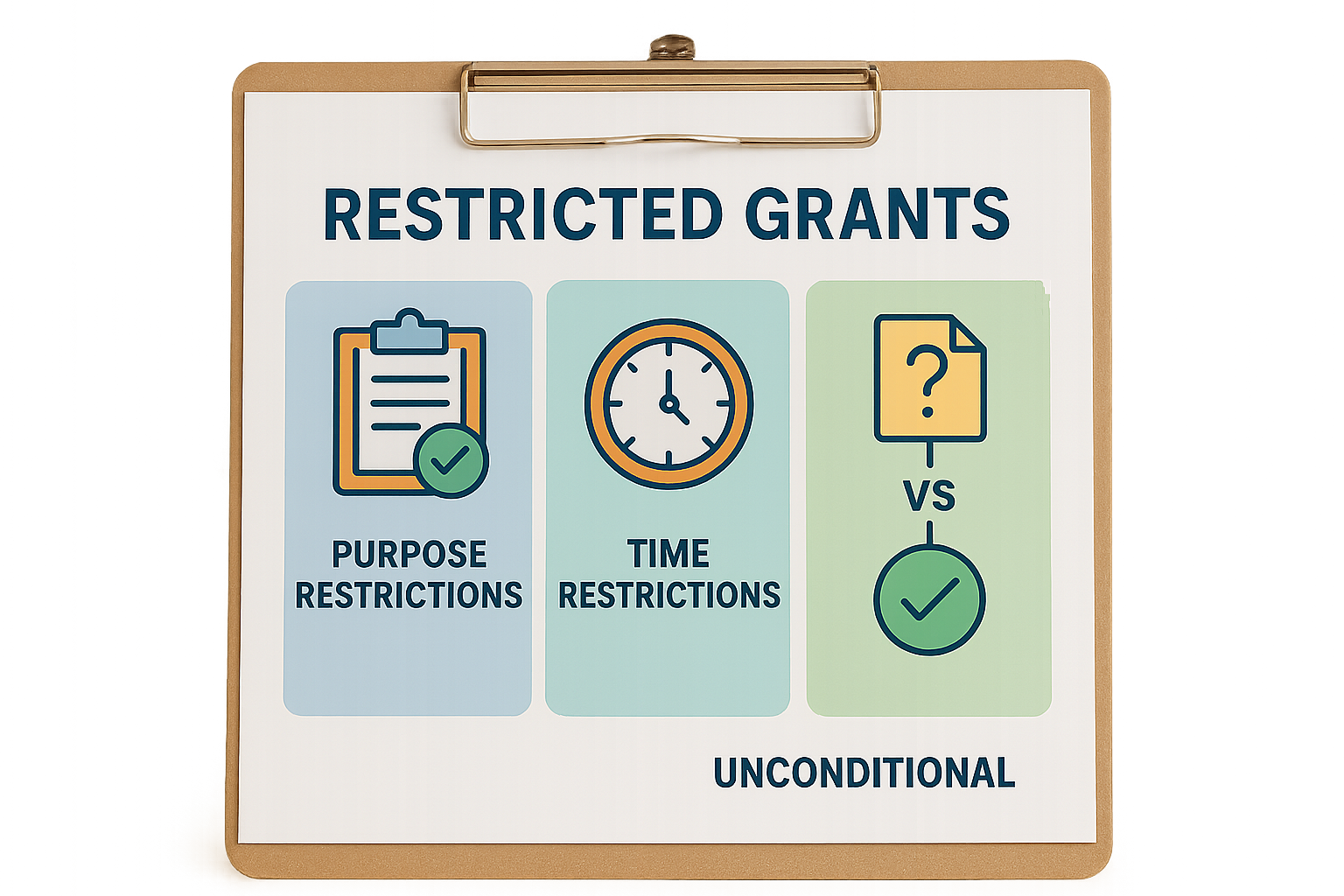
A restricted grant is funding a donor or grantor gives with specific directions about how or when you can use the money. Two common restriction types:
- Purpose restriction — Funds must be used for a defined program or project (for example, “youth literacy program”).
- Time restriction — Funds become available only after a date or must be spent within a timeframe (for example, a multi-year grant).
Important distinction: conditional vs unconditional grants.
- Conditional grant: The grantor requires one or more future events or actions before you have an unconditional right to the funds (examples: achieving milestones, submission of reports, matching requirements). Until you meet those conditions, the grantor’s obligation is a liability (deferred revenue).
- Unconditional grant with donor restriction: You have an unconditional promise to receive the funds, but the donor limits how or when you may use them. Account for these as revenue with donor restriction under nonprofit accounting standards.
Why it matters: consequently, misclassifying conditional grants as revenue can overstate income and leave your organization exposed to audit findings and demands to repay funds.
Donor-Imposed Restrictions vs Internal Designations
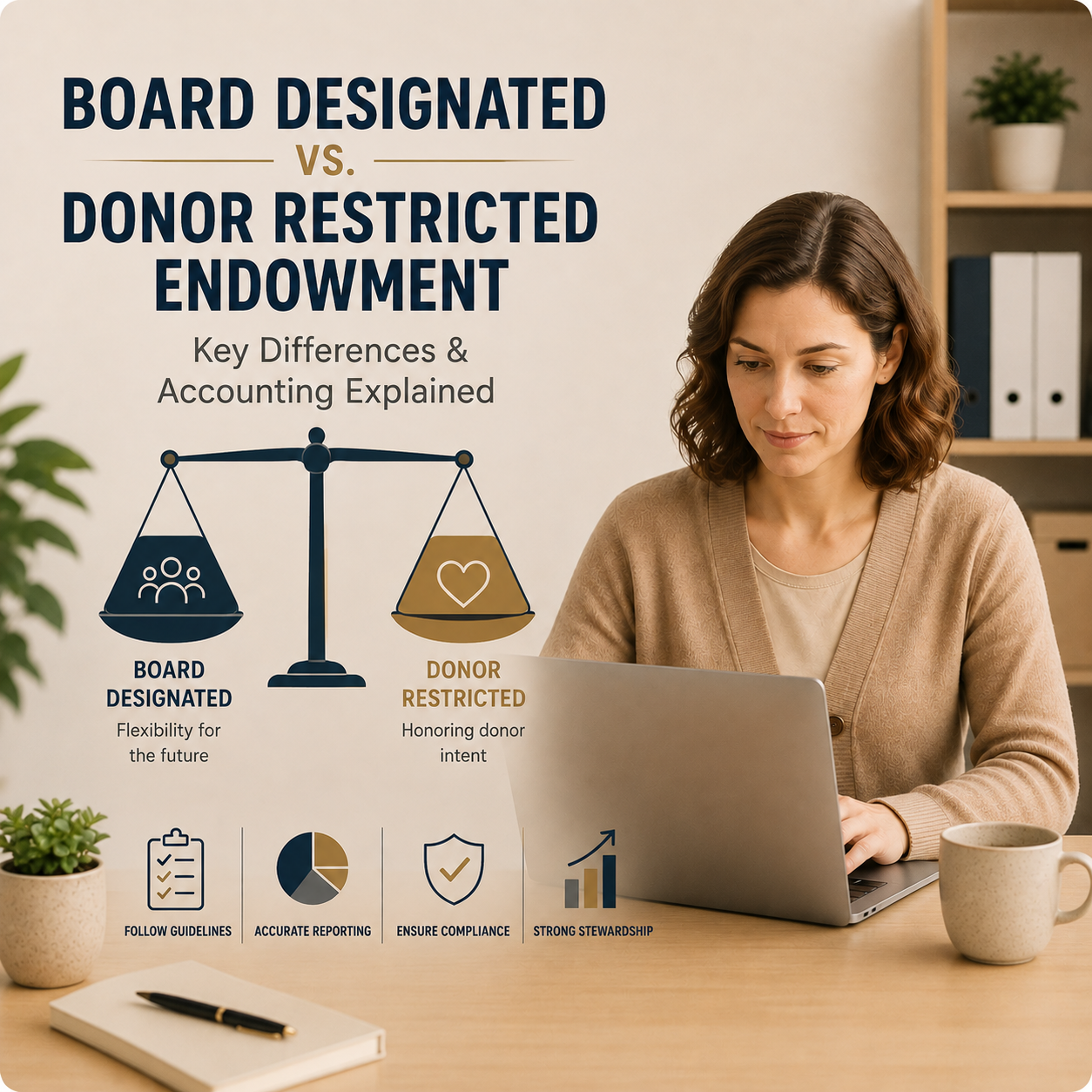
Often, this is where organizations trip up. Donor-imposed restrictions are legally binding. Internal board designations (sometimes called “board-designated” or “quasi-endowments”) are management decisions and count as unrestricted for reporting purposes.
Practical consequences:
- Donor-restricted funds must appear as net assets with donor restrictions on your financial statements until restrictions are satisfied.
- Board-designated funds appear as net assets without donor restrictions (even though the board has set them aside).
If your board treats donor restrictions like internal designations, you’re asking for trouble. Put donor restrictions in your chart of accounts and donor agreements in the file.
Impact of Restrictions on Financial Statements
Under U.S. nonprofit GAAP, you present net assets as:
- Net assets without donor restrictions
- Net assets with donor restrictions
When you receive an unconditional restricted contribution:
- Recognize revenue immediately as “contributions with donor restrictions.”
- The amount appears in net assets with donor restrictions.
When restrictions are satisfied:
- Reclassify the amount from net assets with donor restrictions to net assets without donor restrictions (often shown as “release from restriction” on the statement of activities).
If a grant is conditional:
- Record as a liability (deferred revenue) until the condition is substantially met; then recognize revenue.
Example flow (simple terms): donor awards $50,000 for a teacher training program (purpose restriction). On receipt: Dr Cash 50,000 Cr Contributions revenue with donor restrictions 50,000
When training delivered and expense incurred: Dr Net assets with donor restrictions 50,000 Cr Net assets without donor restrictions 50,000 (And you previously recorded expenses against the program while the funds sat as donor-restricted revenue.)
Yes, the accounting moves can feel like musical chairs — but the rule-of-thumb is: treat legally binding donor restrictions as separate until you fulfill them.
Accounting Models for Restricted Grants
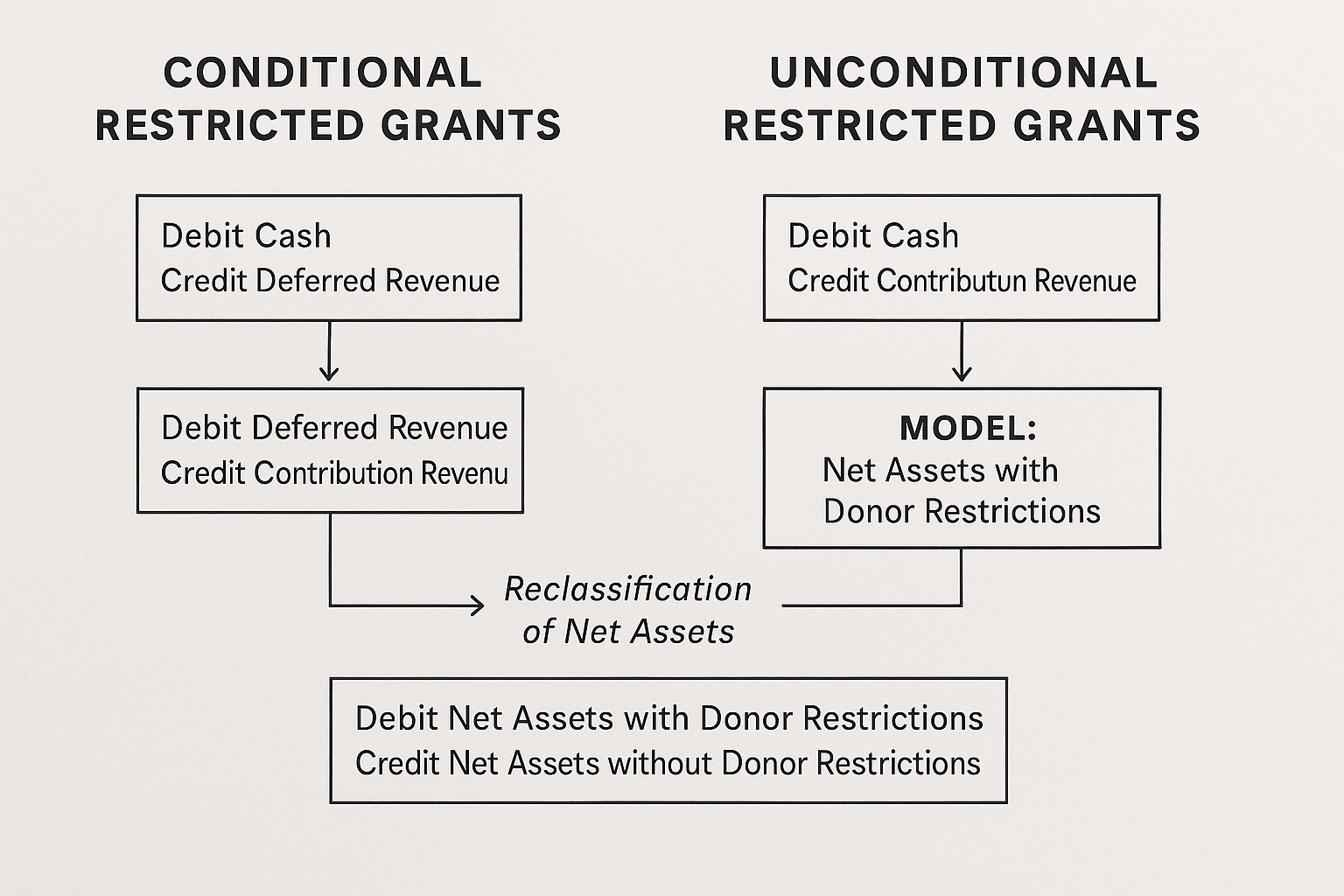
Liability Model for Conditional Grants
When a grant includes conditions you must meet before you unconditionally earn the funds (deliverables, matching, reporting requirements), it’s a liability at receipt.
Journal entries — conditional grant example: 1) Upon receipt of cash (conditions unmet), record: Dr Cash 30,000 / Cr Deferred grant revenue (liability) 30,000
2) When conditions are met (earnings event), post: Dr Deferred grant revenue 30,000 / Cr Contributions revenue with donor restrictions 30,000
3) When donor restriction is then satisfied (if applicable), reclassify to net assets without donor restrictions: Dr Net assets with donor restrictions 30,000 / Cr Net assets without donor restrictions 30,000
Why use this model: it prevents recognizing revenue prematurely and avoids overstating program income.
Do not use this model when the grantor’s promise is unconditional when awarded (no future conditions beyond receipt), don’t record as deferred.
Revenue Recognition Model for Unconditional Grants
If a grant is an unconditional promise to give but subject to donor-imposed purpose or time restrictions, recognize revenue on receipt or when the donor makes the promise, recorded as net assets with donor restrictions.
Journal entries — unconditional restricted grant example: 1) Award made and you have an enforceable promise, record: Dr Cash 75,000 / Cr Contributions revenue with donor restrictions 75,000
2) When restrictions are satisfied (e.g., program delivered), post: Dr Net assets with donor restrictions 75,000 / Cr Net assets without donor restrictions 75,000
Subtlety: some grants combine elements (unrestricted in one part, conditional in another). So, read the award language carefully; auditors love ambiguous wording.
Choosing the Right Approach for Your Organization
Which model applies depends on:
- Grant terms: are there measurable conditions or barriers to entitlement?
- Governing accounting standards in your jurisdiction (US GAAP ASC 958 in the U.S.).
- Auditor expectations and past precedent.
Rule of thumb: if the award requires future performance from your organization before entitlement, treat it as conditional (liability). If the award is a firm promise but with donor-imposed restrictions on use, recognize revenue with donor restrictions.
Real-world scenario: An international donor pays in installments, each contingent on submitting a progress report and achieving milestones. Treat each installment as conditional revenue until that installment’s condition is met.

Best Practices for Restricted Fund Tracking in Nonprofits
Setting Up Fund Accounting Systems
Use fund accounting — even if it’s a few well-structured classes/projects in QuickBooks — to separate restricted and unrestricted activity. Basic chart of accounts setup:
- Separate revenue accounts: Contributions—With Donor Restrictions, Grants—Without Donor Restrictions
- Use classes, locations, or projects to tag programs
- Maintain fund balance accounts for each restricted fund
Small nonprofits: QuickBooks Online Nonprofit or a well-structured spreadsheet can work at first. Mid-size and larger organizations: consider Blackbaud Financial Edge, Sage Intacct, NetSuite, or other fund-accounting systems.
Coding and Documentation Practices
Do this once and your monthly reconciliations will breathe easier:
- Assign a unique fund code to every grant and restricted gift.
- Attach the signed donor agreement or award letter to the fund record (digital file storage).
- Maintain a grant summary with restrictions, budget, reporting dates, and point person.
Small tip: Require program staff to include the fund code on every purchase request and invoice. The quicker you code correctly, the fewer journal entries you’ll need later.
Expense Tracking and Real-Time Coding
Charge expenses to the correct restricted fund in real time — don’t rely on retroactive allocations. For salary and fringe, use timekeeping tied to grant-funded programs, especially for federal grants requiring effort reporting.
Role clarity: assign a fund manager for each major grant to review monthly expenses and confirm compliance.
Regular Reconciliation and Reporting
Monthly reconciliation checklist for each restricted fund:
- Cash receipts matched to award terms and posting
- Bank balance tied to general ledger
- Expenditures coded to the fund and reconciled to program invoices
- Deferred revenue, if any, reconciled and aged
- Remaining restricted balance compared to award budget and narrative
Report to program leads and the board quarterly with:
- Budget vs actual by restricted fund
- Remaining award period and reporting deadlines
- Any compliance risks or carryover requests
Reconcile now, or reconcile later? Reconcile monthly. Problems caught early are cheaper to fix.

Grant Compliance Accounting Essentials
Overview of Grant Compliance Requirements
Specifically, grant compliance includes following funder terms, recording eligible expenses, documenting approvals, and preparing audit-ready files. Federal grants in the U.S. come with Uniform Guidance requirements — especially around allowable costs and procurement — so treat federal awards with particular care.
Budget-to-Actual Monitoring and Cost Allocation
Track expenses against the grant budget regularly. For costs shared across multiple funds (rent, utilities), maintain a defensible allocation method (square footage, FTEs, time studies) and document the methodology.
Common mistake: reallocating indirect costs without documentation. If you charge indirect costs, confirm your organization applies an approved rate consistently.
Time Tracking and Personnel Cost Documentation
For grants that fund staff salaries, maintain contemporaneous time records showing time spent on grant activities. Random or post-hoc estimates are a red flag for auditors.
Practical step: adopt a simple time-reporting tool that integrates with payroll, even for small teams. Ultimately, it pays for itself when an audit happens.
Internal Controls and Procurement Compliance
Controls to put in place:
- Approval thresholds for spending
- Segregation of duties (requestor, approver, payer)
- Competitive procurement documentation for purchases above funder thresholds
- Monitoring subrecipient performance and compliance when you pass funds to others
If you’re a pass-through entity, maintain subrecipient agreements, monitor budgets, and retain evidence of monitoring activities.
Managing and Reporting Donor Restricted Net Assets
Definition and Financial Statement Presentation
Net assets with donor restrictions represent amounts limited by donor-imposed purpose or time constraints. Policy and presentation changed after ASU 2016-14; the simpler split is with and without donor restrictions (no longer “temporarily” vs “permanently” in the same old labels).
On the statement of activities, show the release from restrictions when restrictions are satisfied so stakeholders can see how you used restricted resources.
Tracking and Release of Net Assets
Releases occur when either:
- The organization fulfills the donor’s purpose, or
- The time restriction expires.
Document the event that satisfies the restriction (report submission, program completion, dates) and post the reclassification journal entry. Maintain a release log showing date, amount, and satisfying event.
Avoiding Misuse and Risks
In turn, misuse of restricted funds can trigger legal obligations to return funds, damage donor trust, and result in audit findings. Protect yourself with:
- Written policies on accepting and documenting restricted gifts
- Review process for ambiguous restrictions (seek donor clarification and get it in writing)
- Periodic internal audits of restricted fund spending
If donors are silent or unclear about how you should use funds, treat the gift as restricted until clarified. Don’t assume flexibility without written consent.
Budgeting and Internal Management for Restricted Funds
Incorporating Restricted Grants into Budgeting
When adding restricted grants to your operating budget:
- Budget only the portion of the grant you expect to spend this fiscal year.
- If a grant spans multiple years, include multi-year budget lines or add notes that show carryover plans.
- Separate restricted grant revenue and expenses in the budget to show net activity by fund.
As a result, this visibility prevents using restricted inflows to mask shortfalls in general operations.
Internal Controls and Communication
Share fund-level balances with program staff monthly. Make fund managers responsible for flagging potential overruns or underspending. Overall, regular communication reduces the risk of accidental misuse.
Practical Tips for Sustainable Fund Management
- Avoid funding core operating costs with highly restricted grants.
- Monitor expiration dates — time-restricted funds can become unusable if program timelines slip.
- Build small unrestricted reserves to bridge timing gaps between restricted reimbursements.
Short version: don’t let the accounting of restricted grants drive poor program decisions.
Tools and Software for Restricted Fund Tracking and Compliance
Recommended Software Platforms
- QuickBooks Online for Nonprofits — affordable, with classes and projects suitable for small organizations.
- Blackbaud Financial Edge NXT — designed for mid-to-large nonprofits with complex fund accounting needs.
- Sage Intacct, NetSuite — good for multi-entity, multi-fund organizations requiring strong automation.
Other tools to consider: donor CRM integration (DonorPerfect, Bloomerang, Raiser’s Edge) to connect gifts to grants.
Features to Look For
Prioritize:
- Multi-fund tracking (projects/classes)
- Ability to attach documents to transactions
- Reporting that shows budget vs actual by fund and period
- Automated deferred revenue recognition and aging
- Integration with payroll and timekeeping
Integrations and Customization Tips
Map CRM gift records to fund codes in your accounting system. Use tags or custom fields for quick filtering. If you don’t have budget for a full ERP, combine QuickBooks with a disciplined spreadsheet and a cloud storage link to agreements.
Quick Checklists and Templates
Monthly restricted fund reconciliation checklist:
- Match bank deposits to gift records and award terms
- Verify each restricted fund has an active award file
- Reconcile GL fund balance to sub-ledger or project reports
- Age deferred revenue balances and document expected recognition
- Review budget vs actual and note variances
Journal entry cheat sheet (examples):
- Receipt of unconditional restricted grant:
Dr Cash / Cr Contributions revenue with donor restrictions
- Receipt of conditional grant (conditions unmet):
Record: Dr Cash / Cr Deferred grant revenue
- Release when restriction satisfied:
Post: Dr Net assets with donor restrictions / Cr Net assets without donor restrictions
Common questions:
- What if a donor restriction is unclear? Ask the donor in writing. Don’t assume.
- What happens if a grant ends with unspent funds? Follow the award terms; if unspecified, consult the donor or legal counsel before re-purposing.
Final Steps to Reduce Risk and Improve Compliance
- Reconcile restricted funds monthly and present a summary to your finance committee each quarter.
- Document every donor agreement (and any clarifying amendments).
- Implement time-tracking for personnel costs tied to grants.
- If federal funds are involved, confirm Uniform Guidance compliance and discuss indirect cost rates with your accountant.
- Consider a periodic external compliance review before a full audit year.
If you want help implementing clean fund accounting, mapping your chart of accounts, or preparing for an audit, Telos CPAs works exclusively with nonprofits and can help you build practical systems that auditors like.
Wrap-up: accurate accounting for restricted grants protects donor intent, preserves organizational reputation, and keeps programs funded and running. With clear fund codes, strong documentation, regular reconciliation, and the right software, restricted grant management can move from anxiety-inducing to routine.
If you’d like a one-page checklist or a sample grant reconciliation template you can drop into QuickBooks, reply to this post and we’ll share one.