
Understanding the Chart of Accounts in Nonprofit Fund Accounting
What is a Chart of Accounts?
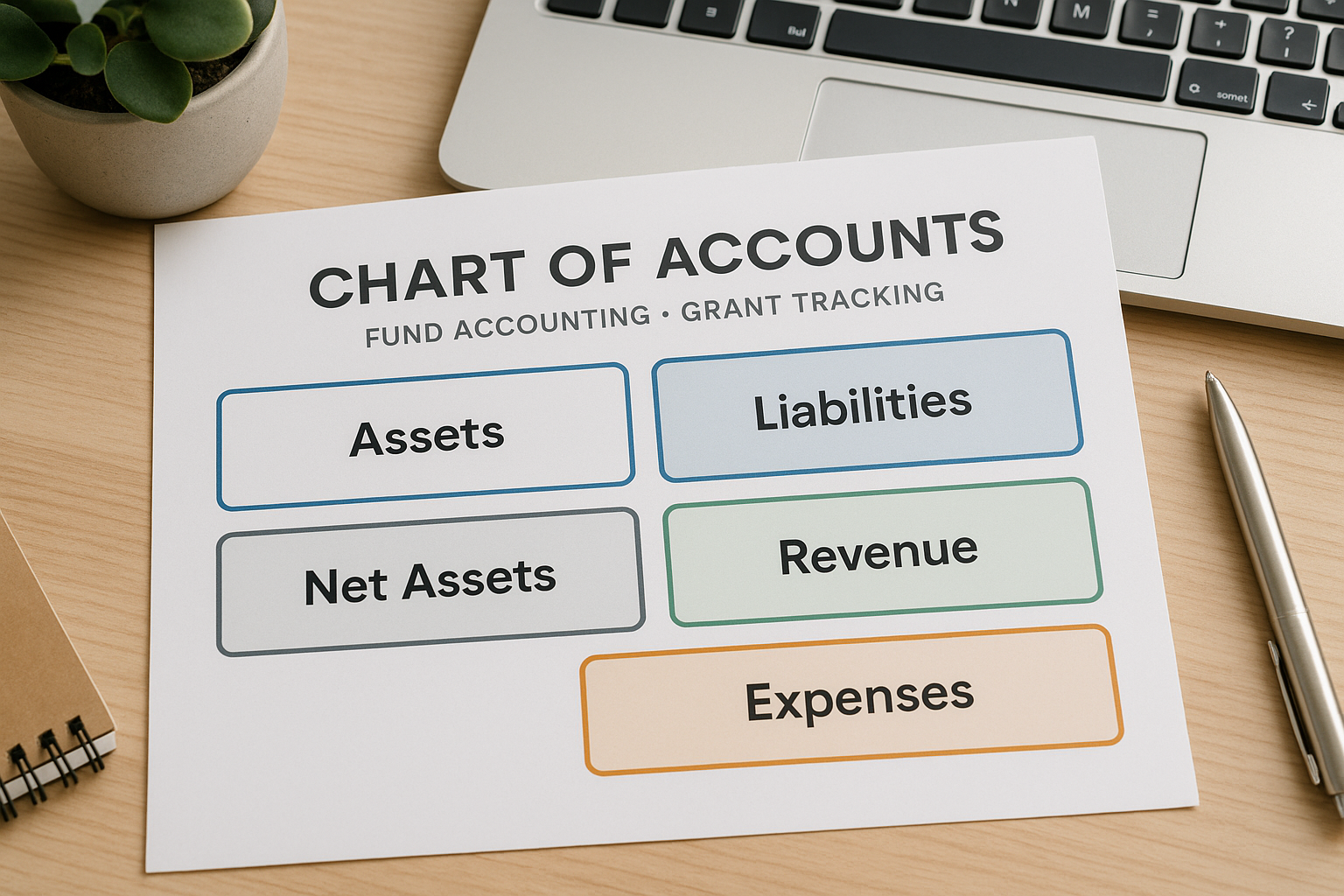
Simply put, a chart of accounts is the organized list of every account your accounting system uses to record transactions: assets, liabilities, net assets, revenue, and expenses. Think of it as the map your financial data follows—if the map is wrong, the destination (accurate reports) is unlikely.
A good COA:
- Reflects how your organization uses and restrictions funds
- Supports donor and grant reporting
- Makes internal management reports meaningful
- Maps cleanly to Form 990 line items and audit schedules
Short version: COA = clarity. Clarity = trust from the board (especially your treasurer), donors, and funders.
Difference Between Nonprofit and For Profit COA
Nonprofits and for‑profit businesses share the same basic account categories, but nonprofits add a crucial dimension: net asset classifications and fund segregation.
Key differences:
- Net assets instead of equity: Nonprofits distinguish unrestricted, temporarily restricted, and permanently restricted net assets under GAAP (or board‑designated categories where applicable).
- Fund tracking: Nonprofits often need to separate balances by fund (e.g., general operating, capital, restricted program funds) to honor donor intent.
- Program emphasis: Expense reporting groups by program and functional classification (program services, management and general, fundraising) to meet grant and IRS expectations.
Those differences drive COA design: you’ll want account names and coding that make those distinctions obvious in financial statements and schedules.
Why Fund Accounting Changes Your COA Structure
Essentially, fund accounting isn’t a separate software product; it’s a design principle: separate resources by restriction and purpose. That affects your COA in two ways:
- Account structure must allow balances to be reported by fund and by account (e.g., cash in the general fund versus cash in the capital campaign fund).
- Coding must link revenue and expenses to the correct fund, program, and grant so you can show compliance with donor restrictions.
If your COA treats net assets and funds as an afterthought, you’ll spend extra time (or fail) when preparing grant reports or the nonprofit financial statements. So, build fund tracking into the COA from the start and you avoid time-consuming cleanups later.

Typical Nonprofit Chart of Accounts Template and Numbering Structure
Standard COA Categories
A nonprofit COA typically groups accounts this way:
- Assets (1000–1999): cash, receivables, prepaid expenses, investments, fixed assets
- Liabilities (2000–2999): accounts payable, accrued payroll, deferred revenue, loans
- Net Assets (3000–3999): unrestricted, temporarily restricted, permanently restricted
- Revenue (4000–4999): contributions, program service revenue, grants, investment income
- Expenses (5000–8999): program expenses, supporting services, fundraising
Number ranges are conventional, not mandatory—but they help keep things tidy and expandable.
Numbering Conventions
Common best practice: allocate blocks so you can add subaccounts without renumbering. Example approach:
- 1000–1999 Assets (use 1100 Cash, 1200 Accounts Receivable, 1300 Investments)
- 2000–2999 Liabilities
- 3000–3999 Net Assets and Fund Balances
- 4000–4999 Revenues
- 5000–8999 Expenses (split by program and function)
Generally, use increments (e.g., 10 or 100) to leave room for growth. Decide early whether decimals, codes, or segments will handle program/grant identifiers.
Sample Template Walkthrough
For instance, below is a compact sample to illustrate naming and numbering. Adapt to your organization’s size.
| Number | Account Name |
|---|---|
| 1100 | Cash – Operating (General Fund) |
| 1110 | Cash – Restricted Fund A |
| 1200 | Accounts Receivable |
| 1400 | Investments |
| 2100 | Accounts Payable |
| 2300 | Deferred Revenue – Grants |
| 3100 | Net Assets – Unrestricted |
| 3200 | Net Assets – Temporarily Restricted |
| 3300 | Net Assets – Permanently Restricted |
| 4100 | Grants Revenue – Government |
| 4200 | Contributions – Individuals |
| 4300 | Program Service Revenue |
| 5100 | Program Expense – Education |
| 5200 | Program Expense – Housing |
| 6100 | Management and General |
| 6400 | Fundraising |
This sample keeps account names descriptive. More granularity (e.g., breaking program expense by cost type: salaries, supplies, subcontractors) is common—and often necessary for grant compliance.
Customizing for Size and Complexity
- Small nonprofits: Keep the COA lean—30–60 accounts—but include fund and program codes externally (e.g., classes or project codes).
- Mid-size/growing nonprofits: Add subaccounts for major programs and typical grant reporting needs.
- Large nonprofits: Expect hundreds of accounts and use segment coding (account number + fund code + program code).
Goal: balance between usable simplicity for staff and enough detail for funder reporting.

Fund Based Accounting Structure for Nonprofits
What is Fund Based Accounting?
Fund based accounting organizes finances into separate “funds” to demonstrate accountability for resources set aside for specific purposes. Each fund has its own balance and often its own set of restrictions.
Common fund categories:
- Unrestricted/Operating Fund
- Temporarily Restricted Program Funds (by donor or grant)
- Permanently Restricted Endowment Funds
- Board‑Designated Funds
- Capital Campaign Funds
Typically, you can track funds using separate ledgers, subaccounts, classes, or project codes depending on your accounting system.
Types of Funds and How to Reflect Them
- Unrestricted: Resources the board or leadership can use for general purposes. Record in unrestricted net assets.
- Temporarily restricted: Donor restrictions that expire by time or purpose. Track separately so you can show when restrictions are met.
- Permanently restricted: Donor-specified principal preserved in perpetuity (e.g., endowment principal).
In the COA, consider creating a fund index or using the net asset accounts (3000 series) to reflect these balances, but don’t rely only on net asset accounts—link transactions with fund codes to show activity and balances for each fund.
Designing a Fund Structure within Your COA
Options for integrating funds:
- Subaccounts: e.g., 1110 Cash – Restricted Fund A, 1111 Cash – Restricted Fund B (simple, clear, but can explode in number of accounts)
- Fund codes/segments: Store fund as a separate segment in the account number (e.g., 1110-01 where 01 = Operating, 02 = Capital)
- Classes or Locations (in software): Use built‑in class/project features to tag entries by fund
Practical approach: use a hybrid—keep essential fund-level balances as distinct subaccounts for cash and net assets, and use classes or project codes for granular grant/program tracking.
Tracking Fund Balances and Reporting Requirements
- Reconcile fund balances monthly—reconciliations are your best defense against misapplied grant expenses.
- Use dashboards that show expenses vs. budget by fund and program.
- When restrictions are fulfilled, record reclassification entries moving revenue from temporarily restricted to unrestricted (document the reason and date).
- Map COA accounts to Form 990 and grant schedules to reduce reconciliation work during reporting season.
Bottom line: accurate fund tracking reduces stress at audit and builds donor confidence.

Program and Grant Coding Structure within the Chart of Accounts
Importance of Program and Grant Coding for Accountability
Naturally, programs and grants require their own ROI and compliance reporting. Coding lets you answer questions like:
- Did we spend grant funds only on allowable costs?
- Which programs are within or over budget?
- How much fundraising supports a particular program?
Without consistent program/grant codes, answers will be slow and error prone.
Methods for Coding Programs and Grants
Common methods:
- Subaccounts under expense accounts (e.g., 5100 Program Expense – Education: 5101 Salaries, 5102 Supplies)
- Classes or departments in accounting software (tag transactions by program)
- Project or job costing module (assign grant numbers to transactions)
- Multi-segment account numbers (Account-Fund-Program-Project)
Each method has trade-offs: subaccounts are simple but increase the number of accounts; classes are flexible but require disciplined data entry.
Creating a Coding System Aligned with Fund Accounting
Design a coding scheme with segments that capture the three most important dimensions for reporting:
- Account (what was spent)
- Fund (which fund paid it)
- Program/Grant (which program or grant benefited)
Example code structure:
- GL Account: 5100
- Fund Code: F02 (School Program Grant)
- Program Code: P03 (After School Program)
- Project/Grant ID: G2024-045
A journal entry could then be recorded as:
- Debit 5100-F02-P03-G2024-045 Salaries $5,000
- Credit 1100-F02 Cash $5,000
In short, this single entry captures account, fund, program, and specific grant—making reporting and audit trails straightforward.
How to Track Program Expenses and Grant Revenues Effectively
- Build grant budgets into your accounting system and tag expenditures to budget lines.
- Require supporting documents (timesheets, invoices) to reference codes.
- Reconcile grant advances and deferred revenue monthly.
- Produce trial balance by fund and program to show activity and balances for grant reports.
Tools and Software Considerations for Coding
Specifically, most modern nonprofit accounting packages (QuickBooks Online for Nonprofits, Blackbaud, Abila, Sage Intacct, NetSuite) support classes, projects, and multi‑segment account schemes. Choose software that:
- Supports the segmentation you need
- Makes tagging easy and minimizes manual work
- Offers budget vs. actual reporting by fund/program
If in doubt, trial a few scenarios in your chosen software before finalizing the COA.
Best Practices and Tips for Setting up Your Nonprofit Chart of Accounts
Aligning COA with Financial Reporting and IRS Requirements
- Map revenue and expense accounts to Form 990 categories and program service classifications.
- Capture functional expense allocations (program vs. management and general vs. fundraising) either by account or by posting allocations monthly.
- Keep documentation that explains account usage and coding rules for staff and auditors.
Keeping the COA Flexible for Growth and Changes
- Use logical numbering with blocks reserved for future growth
- Document naming conventions and coding rules in a COA manual
- Review the COA annually with finance, program, and development leaders to ensure it still fits
Avoiding Common Mistakes
- Don’t bury fund or grant codes in memos—use formal segments or classes
- Avoid too many one-off subaccounts that never get used
- Don’t let fundraising or program staff post transactions without coding training—garbage in, garbage out
Leveraging COA for Transparent Donor Reporting
- Provide fund-level statements that show beginning balance, activity, and ending balance
- Tie grant reports to the same codes used in the COA to avoid reconciliation headaches
- Consider a short donor report template that pulls directly from your accounting system
Downloadable Nonprofit Chart of Accounts Templates and Resources
Free Template Options and How to Use Them
Several nonprofit accounting resources offer downloadable COA templates you can adapt. Look for templates that:
- Use a clear numbering convention
- Provide sample program and fund codes
- Include mapping to Form 990 or functional expense categories
Start with a template but spend time customizing the account names, numbers, and coding to match your programs and grants.
Customizing Templates for Specific Nonprofit Types
- Faith-based organizations: include fund types for tithes, designated ministries, and capital projects
- Foundations: add grant expense tracking and investment income subaccounts
- Service organizations: emphasize program cost centers and client service expense categories
Additional Tools for Fund and Grant Accounting
- Project/job costing modules for high grant volumes
- Timekeeping software with project codes for payroll allocation
- Dashboards showing fund balances, restricted vs unrestricted net assets, and budget vs. actual by program
Next Steps and When to Get Help
Ready to start? Practical first steps:
- Inventory current accounts and identify duplicates or unused accounts.
- Draft a simplified COA keeping the account blocks above.
- Decide how you’ll tag funds (subaccounts, segments, classes).
- Pilot with one program and one grant for two months.
- Update your COA manual and train staff.
If your organization has multiple grants, complex restrictions, or is preparing for an audit, consult a nonprofit CPA. Telos CPAs, a firm dedicated exclusively to serving nonprofits, can help map COA design to reporting and audit needs, alongside our other services for nonprofits.
Quick disclaimer: this post offers general guidance and examples. For authoritative tax, audit, or accounting advice tailored to your facts and jurisdiction, consult a qualified CPA or attorney.
In the end, a well-designed COA pays back every month in faster reports, clearer board conversations, and less stress during audits and grant reporting. Start small, enforce coding discipline, and let the COA grow with your work—your funders (and your finance team) will thank you.
